
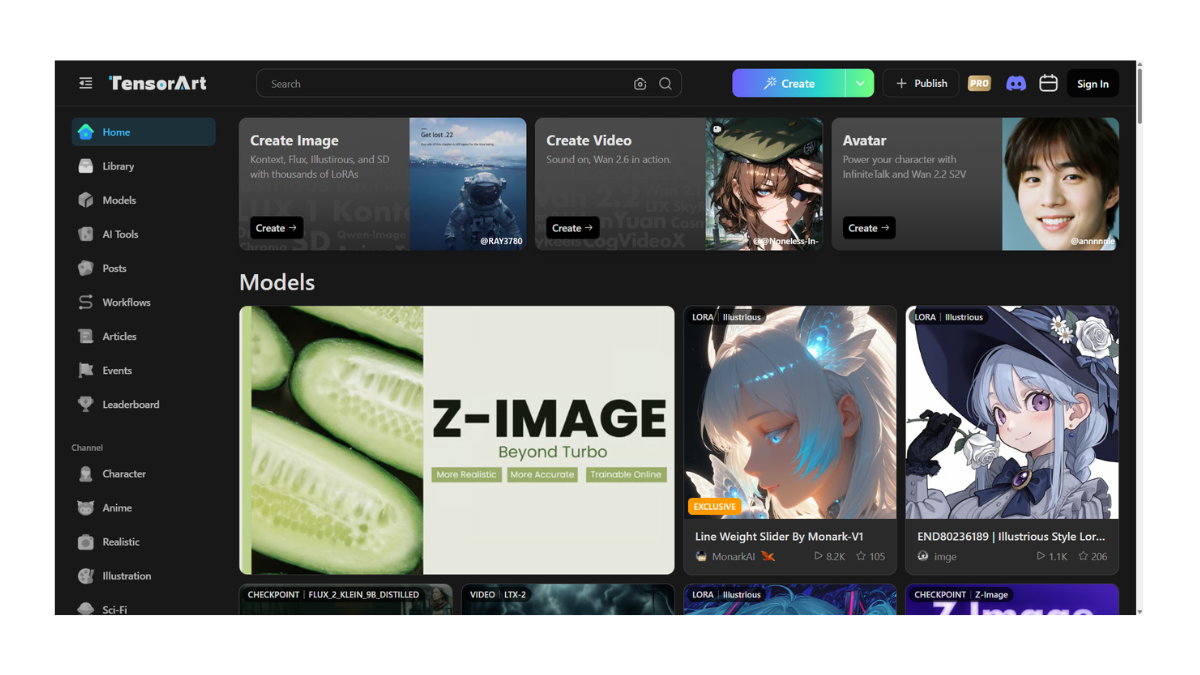
TensorArt AI
Tensor.art is best described as “Civitai, but built for online generation.”
While Civitai is primarily a place to download files to your computer, Tensor.art is designed to let you run those files directly in your browser. It effectively turns the massive library of open-source AI models into a free cloud studio.
1. Core Purpose: The “Cloud” Model Hub
Tensor.art acts as a bridge between complex open-source models and casual users.
-
Model Hosting: It hosts thousands of models (Checkpoints) and add-ons (LoRAs) that users have uploaded.
-
Cloud Generation: Instead of needing a $2,000 gaming PC to run these models, you use Tensor.art’s servers. You can click on any image you see on the site and hit “Remix” to instantly generate your own version using the exact same settings and models.
2. The AI Models
Tensor.art supports the heavy hitters of the open-source world.
-
Stable Diffusion (SD 1.5 & SDXL): The standard for AI art.
-
Pony Diffusion: Fully supported. This is critical for users creating anime or stylized character art, as “Pony” models are currently the gold standard for character consistency.
-
Flux: It has integrated the new “Flux” models, which offer state-of-the-art realism and text rendering.
-
AnimateDiff: It supports tools to turn static images into short animations (GIFs/Videos) directly within the workspace.
3. Key Features
-
Mobile App: Unlike most competitors (Midjourney, Civitai), Tensor.art has a functional mobile app, making it one of the best choices for generating AI art on a phone.
-
ComfyUI Support: For advanced users, it supports “ComfyUI” workflows. This allows you to build complex “node-based” pipelines (connecting different AI brains together) in the cloud.
-
TAMS (Tensor Art Model Service): A feature for developers to use these models via API.
4. Pricing & Free Tier
Tensor.art is known for having a “use it or lose it” daily credit system.
-
Free Plan:
-
~100 Credits Daily: This resets every 24 hours.
-
Cost per Image: A standard image costs about 1 credit. High-res or complex steps might cost 2–3.
-
Result: You can generate roughly 50–80 images per day for free.
-
-
Pro Plan (~$10/month):
-
Allows you to generate images privately (Free images are usually public).
-
Higher generation speed and more concurrent tasks (generating 4 images at once instead of 1).
-
5. Tensor.art vs. Civitai
These two platforms are the closest rivals.
| Feature | Tensor.art | Civitai |
| Primary Goal | Generating Images Online | Downloading Models |
| Interface | App-like, “Remix” focus | Repository/Library focus |
| Mobile Use | Excellent (has App) | Poor (Website only) |
| Free Generations | ~100 daily | ~100+ daily (“Buzz” system) |
| Speed | Fast (Cloud GPU) | Variable (depends on server load) |
⚠️ Important Note: Content & “TensorHub”
-
NSFW Content: Like Civitai, Tensor.art hosts a significant amount of NSFW (adult) content. You must toggle settings to see or hide this.
-
TensorHub Split: Recently, the platform has moved some of its explicit or specific community content to a sub-platform called “TensorHub” to manage payment processor rules. If you can’t find a specific model on the main site, it may have been moved there.
- Pricing Model: FREE