
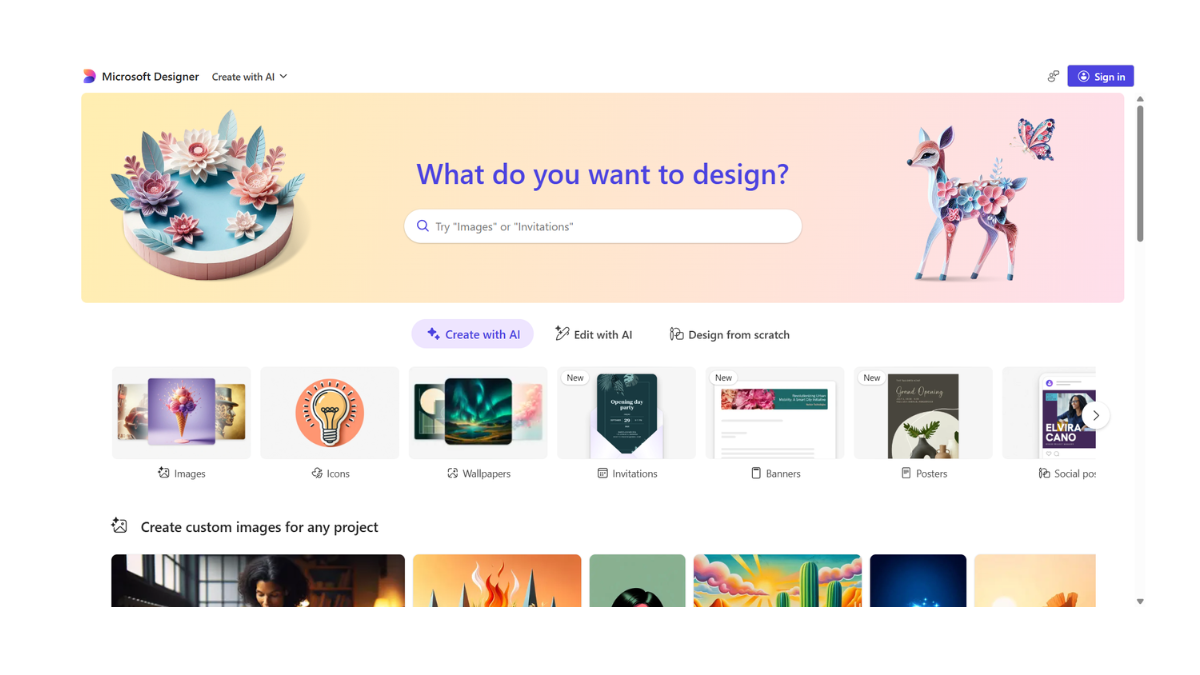
Microsoft Designer AI
Microsoft Designer is an all-in-one graphic design app that acts as a “Canva killer” by heavily integrating generative AI. While tools like Bing Image Creator just make images, Microsoft Designer builds complete designs—posters, Instagram stories, invitations, and banners—simply by reading your text description.
It is currently one of the most accessible ways to use high-end AI tools (like DALL-E 3) for free.
Here is the detailed breakdown:
1. 🚀 What Does It Do?
Microsoft Designer combines two main functions:
-
Image Generation: It creates raw images using DALL-E 3 (just like Bing Image Creator).
-
Layout Design: It takes that image, adds text, chooses fonts, and arranges everything into a professional layout based on your prompt (e.g., “Create an Instagram post for a bakery sale”).
It is available on the Web (designer.microsoft.com) and as a Mobile app (iOS & Android).
2. ✨ Key AI Features
-
Text-to-Design: You describe a project (e.g., “A 1980s retro poster for a garage sale on Saturday”), and it generates fully editable templates with images and text already placed.
-
Sticker Creator: A specialized tool that creates die-cut, transparent-background stickers.Great for WhatsApp/Telegram stickers or digital planners.
-
Generative Erase: Similar to Google’s “Magic Eraser.” You can brush over an unwanted object (like a stranger in your vacation photo), and the AI removes it and fills in the background.
-
Background Remover: Instantly isolates the subject and turns the background transparent.
-
Restyle Image: You can upload a photo and say “Turn this into a line drawing” or “Make it look like a Lego set,” and it re-imagines your photo in that style.
-
Brand Kit Creator: If you type in your business name, it uses AI to suggest color palettes, font pairings, and logo concepts to match the “vibe” you described.
3. 💰 Pricing & “Boosts”
Microsoft Designer operates on a freemium model.
| Plan | Cost | Details |
| Free Plan | $0 / month |
• Requires a free Microsoft account. • 15 Boosts per day (for fast image generation). • Access to all design tools and templates. • Watermarks on some AI-generated images. |
| Microsoft 365 | ~$7-10 / month |
• Included with Personal/Family subscriptions. • 100 Boosts per day. • Faster generation speeds. • Integration into Word & PowerPoint. |
-
What is a “Boost”? One boost allows you to generate images instantly. If you run out, you can still create images, but it will take much longer (slow queue).
4. Pros & Cons
| ✅ Pros | ❌ Cons |
| All-in-One: Generates the image and the text layout in one go. | Can be Buggy: As a relatively new tool, the interface can sometimes lag or freeze. |
| DALL-E 3 Inside: Uses the best image model available for free. | Microsoft Account Needed: You must sign in (no guest access). |
| Editable Text: Unlike Midjourney, you can click on the text in the design and change the font/spelling instantly. | Watermarks: Free users will see a small AI watermark on generated images (though not on the full designs). |
| Layer Control: It works like Photoshop/Canva—you can move elements, change layers, and adjust opacity. | Strict Safety Filters: Like Bing, it blocks prompts it deems “unsafe” very aggressively. |
5. 📝 How to Use It (Step-by-Step)
-
Go that designer.microsoft.com.
-
Choose a “Creator”: You will see options like Image Creator, Sticker Creator, or Design Creator.
-
To Make a Post: Click “Design Creator” and type:
“An Instagram story announcing a 50% off sale for a shoe store, using neon colors and a photo of running shoes.”
-
Edit: The AI will give you 10+ layout options. Click one to open the editor.
-
Refine: Click on the text to change the price or date. Use the sidebar to add your own logo.
-
Download: Click “Download” (top right) and choose PNG or JPG (free of charge).
💡 Expert Tip: “The Sticker Trick”
If you need a logo or an icon without a background, do not use the standard “Image Creator.” Instead, use the Sticker Creator.
-
Prompt: “A minimal vector logo of a coffee cup, flat design.”
-
The result will automatically have a transparent background, saving you the step of removing it later!
- Pricing Model: FREE