
Lexica.art
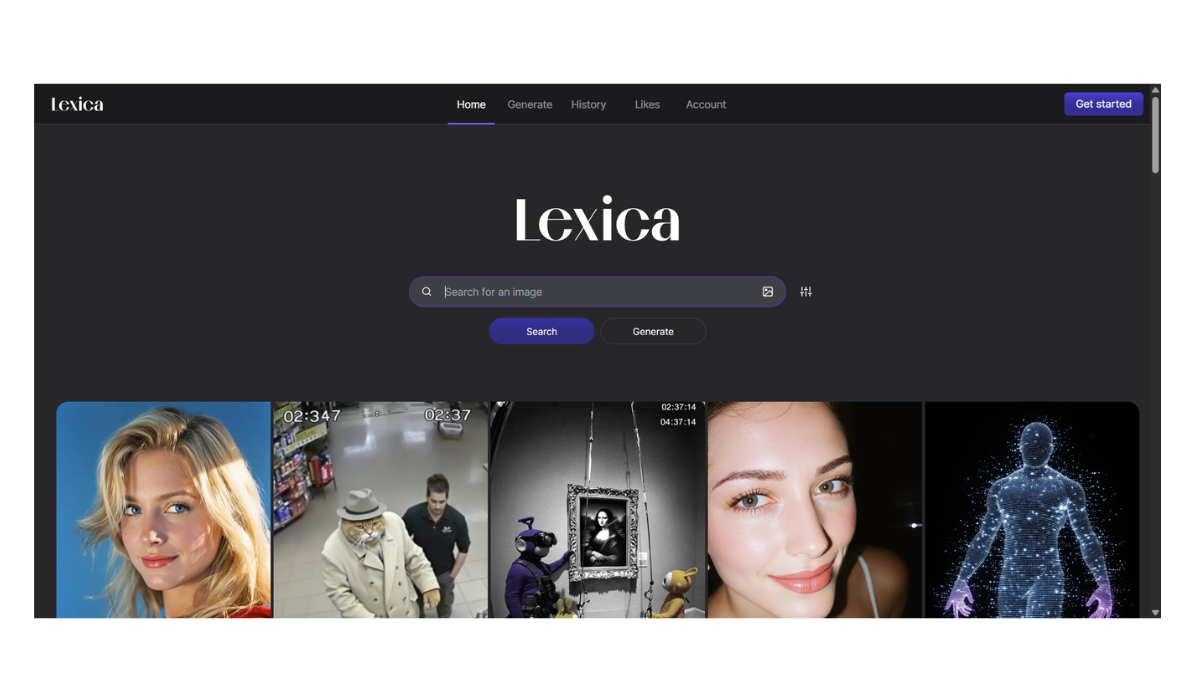
Lexica.art is often described as the “Google of AI Art.” It serves two distinct purposes: it is one of the world’s largest search engines for AI images, and it has its own built-in generator capable of producing highly photorealistic and “glossy” images.
Here are the details:
1. Core Features
-
The Search Engine (Main Feature): This is what made Lexica famous. It indexes millions of images created with Stable Diffusion.
-
How it helps you: If you don’t know how to write a prompt for “a cyberpunk city,” you can type that into Lexica, see 50 amazing examples, and copy the prompts used to create them. It is the best tool for learning “prompt engineering.”
-
-
The Generator (Lexica Aperture): Lexica has its own custom AI model called Lexica Aperture (currently v3.5).
-
The “Lexica Look”: unlike other models that might look like drawings or paintings, Lexica Aperture is famous for a specific style: highly detailed, high-contrast, sharp, and photorealistic. It tends to make everything look “pretty” automatically, even with a short prompt.
-
2. Interface & Usability
Lexica is incredibly simple compared to OpenArt or Neural.love.
-
Grid Layout: The website looks like a never-ending wall of high-quality art.
-
Simple Sliders: When generating, you only have a few options:
-
Dimensions: (Portrait, Landscape, Square).
-
Guidance Scale: How strictly the AI should follow your text.
-
Negative Prompt: What you don’t want in the image (e.g., “blur,” “text,” “deformed”).
-
3. Pricing & Credits
Lexica has moved away from its previously generous free tier.
-
Free Trial: You may get a small number of free generations when you first sign up (e.g., 16 images), but these run out quickly.
-
Paid Plans:
-
Starter: ~$8/month (1,000 fast generations/month).
-
Pro: ~$24/month (3,000 fast generations + Unlimited slow generations).
-
Max: ~$48/month (7,000 fast generations + Keeps images Private).
-
-
Note: On the Starter and Pro plans, your images are public and searchable by others. You need the Max plan for privacy.
4. Comparison Summary
| Feature | Deep Dream Gen | OpenArt | Lexica.art |
| Best For… | Abstract/Surreal Art | Power Users & Control | Photorealism & Inspiration |
| Learning | Easy | Steep Learning Curve | Best for Beginners (Search & Copy) |
| Style | Trippy/Painterly | Versatile (many models) | “Glossy” & Sharp (Aperture model) |
| Video | No | Yes | No |
5. Pros and Cons
-
Pros:
-
Incredible Search: The absolute best place to find prompt ideas.
-
Foolproof Quality: The Aperture model is very “opinionated,” meaning it’s hard to make a bad-looking image. It fixes lighting and composition for you.
-
Speed: The interface is very snappy.
-
-
Cons:
-
Repetitive Style: Because the model has a strong “personality,” many images from Lexica start to look similar (same lighting, same face structure) after a while.
-
Lack of Control: You cannot use tools like ControlNet (posing) or Inpainting (fixing specific spots) like you can on OpenArt.
-
- Pricing Model: FREE