
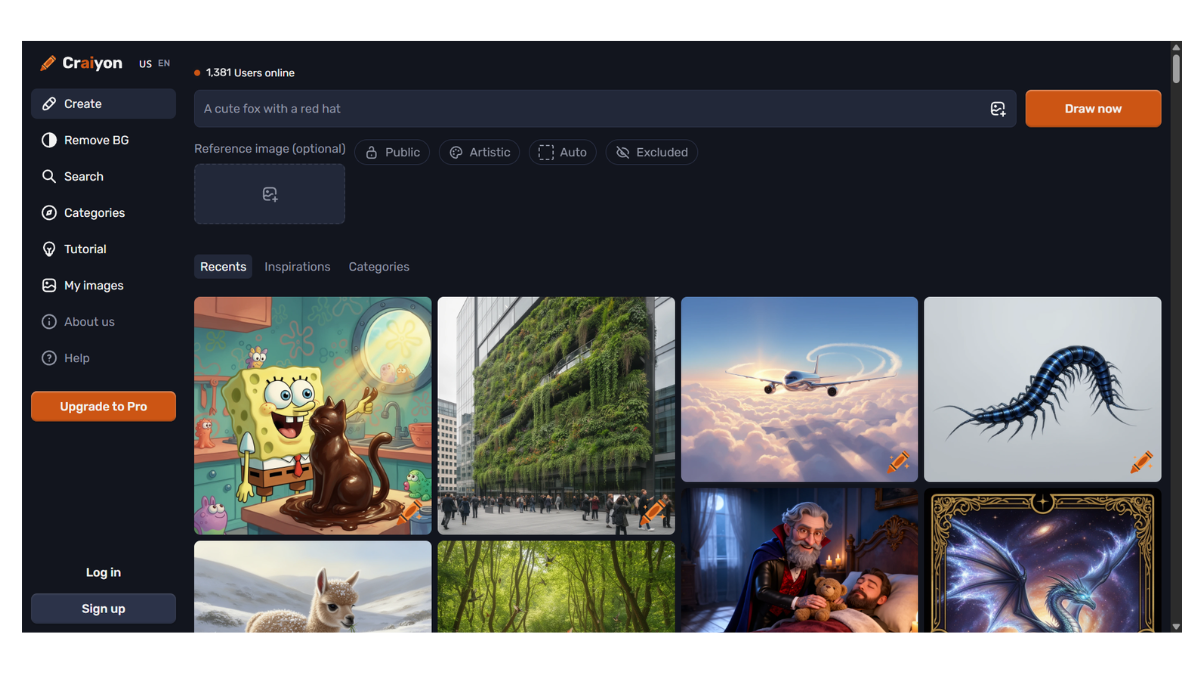
Craiyon AI
Craiyon AI (formerly known as DALL-E mini) is a popular, free-to-use AI image generator that turns text prompts into unique visual art. It is widely recognized for being one of the most accessible “entry-level” AI art tools because it requires no sign-up to start.
Here is a detailed breakdown of its features, history, and how to use it.
1. What is Craiyon?
Craiyon is a web-based AI model that uses deep learning to generate images from text descriptions.
-
History: It was originally created by Boris Dayma as a lighter, open-source version of OpenAI’s DALL-E. It went viral under the name “DALL-E mini” but rebranded to “Craiyon” to avoid trademark confusion with OpenAI.
-
Technology: It learns from millions of images on the internet to understand the relationship between words and visual concepts.
2. Key Features
-
Unlimited Free Generations: Unlike Midjourney or DALL-E 3, Craiyon allows you to generate as many images as you want for free (supported by ads).
-
Negative Prompts: You can specify words for things you don’t want in the image (e.g., “no blurry,” “no text,” “no blue”).
-
Art Styles: It offers buttons to instantly switch between styles like “Art,” “Drawing,” “Photo,” or “None” (which leaves it up to the AI).
-
Suggestion Feature: If you are stuck, it can suggest prompt ideas to help refine your image.
-
T-Shirt Printing: It has a unique integrated feature where you can order a physical T-shirt featuring the design you just generated.
3. Pricing & Tiers
Craiyon is primarily free, but they offer paid tiers for better performance.
| Tier | Cost | Key Benefits |
| Free | $0 | Unlimited generations, but slower speed (up to 1-2 mins), includes ads and a watermark. |
| Supporter | ~$5/mo | Faster generation (45 secs), no ads, no watermark. |
| Professional | ~$20/mo | Fastest speed (15 secs), commercial usage rights, priority access. |
4. Pros and Cons
Pros:
-
No Sign-up Required: You can go to the website and type a prompt immediately.
-
Truly Unlimited: No “credit system” that runs out daily.
-
Simple Interface: Very easy for beginners to understand.
Cons:
-
Lower Quality: The images are generally lower resolution and less anatomically correct (faces/hands can be distorted) compared to premium tools like Midjourney or DALL-E 3.
-
Speed: The free version can be slow (taking up to a minute or more to generate).
-
Ads: The free interface is heavily supported by advertisements.
5. How to Use It Best
-
Be Specific: Instead of “a cat,” type “a fluffy orange cat sitting on a windowsill at sunset, oil painting style.”
-
Use “Negative Words”: If the AI keeps putting text or weird borders in your image, add those to the “Negative Word” section.
-
Iterate: Since it’s free, don’t be afraid to click “Draw” multiple times for the same prompt to get different results.
- Pricing Model: FREE