
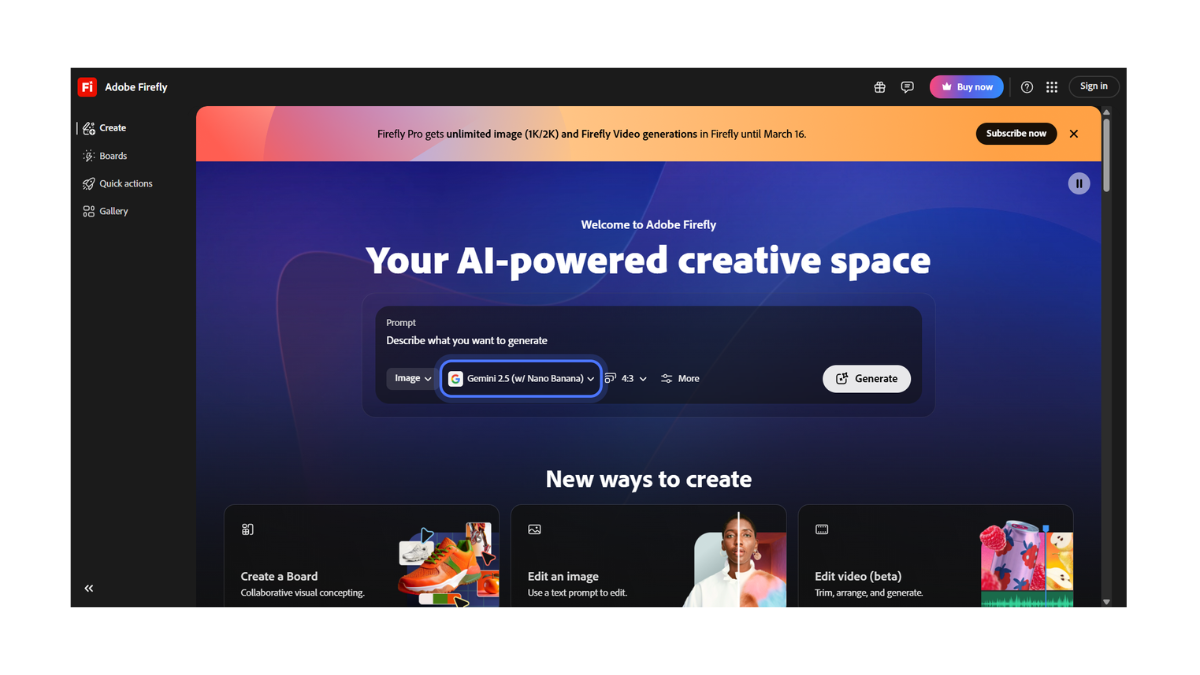
Adobe Firefly AI
Adobe Firefly is widely regarded as the most “professional” and “ethical” AI image generator on the market. Unlike other tools that scrape the entire internet for training data, Firefly was trained exclusively on Adobe Stock images, open-license content, and public domain material.
This makes it the safest choice for designers and businesses who want to avoid copyright lawsuits.
Here is a detailed breakdown of the tool:
1. 🚀 How It Works & Pricing
-
Web Interface: You can use it directly in your browser at firefly.adobe.com.
-
The “Credit” System (Free Plan):
-
25 Monthly Credits: Free users typically receive 25 Generative Credits every month.
-
1 Credit = 1 Generation: Generating an image (which gives you 4 variations) costs 1 credit.
-
Renewal: Credits reset once a month. They do not roll over.
-
-
Integration: Firefly is the engine inside Photoshop (Generative Fill) and Adobe Illustrator (Vector Recolor).
2. ✨ Key Features
-
Generative Fill (The Killer Feature): You can upload an existing photo and use a brush to “paint” over an area. You can then type a prompt to add or remove objects in that specific spot (e.g., “add a red tie” or “remove the tourist in the background”). It matches the lighting and perspective perfectly.
-
Firefly Image 3 Model: The latest model (Image 3) offers incredible photorealism and, crucially, renders text correctly.If you ask for a sign that says “BAKERY,” it will actually spell it right.
-
Text Effects: A unique tool that lets you turn text into art (e.g., the letter “A” made out of melting chocolate or electric wires).
-
Structure Reference: You can upload a sketch or a photo and tell Firefly, “Make a new image that follows this exact layout/structure.”
3. 🛡️ Commercial Safety & Ethics
This is Firefly’s biggest selling point.
-
Commercial Use: Even on the free plan, you can generally use images for commercial purposes (ads, websites, products), provided the feature is not labeled “Beta.”
-
Content Credentials: Adobe automatically attaches “Content Credentials” (invisible metadata) to every image. This acts as a transparent “digital nutrition label” that proves the image was AI-generated, which is becoming a legal requirement in some industries.
4. Pros & Cons
| ✅ Pros | ❌ Cons |
| Legally Safe: Trained on licensed stock images; zero copyright risk. | Strict Filters: It will refuse to generate anything even remotely NSFW, violent, or involving public figures/celebrities. |
| Photoshop Integration: If you use Photoshop, it is built right in. | Monthly Limits: 25 credits go fast. Once you run out, you must wait for next month or pay. |
| Generative Fill: The best “inpainting” (editing) tool in the industry. | Less “Artistic”: It tends to be more literal and “stock photo” style; it struggles with abstract/wild creative concepts compared to Midjourney. |
| Text Rendering: Excellent at putting readable words in images. |
5. 📝 How to Use It (Step-by-Step)
-
Go that firefly.adobe.com.
-
Log in with an Adobe ID (you can create one for free).
-
Choose a tool:
-
Text to Image: For creating new images from scratch.
-
Generative Fill: For editing existing photos.
-
Text Effects: For styling fonts.
-
-
Type your prompt. (Tip: Use the sidebar to change the “Content Type” from Photo to Art depending on what you want).
-
Download: Images are downloaded without a visible watermark (though they contain the invisible Content Credentials).
💡 Expert Tip:
If you are a graphic designer, Adobe Illustrator’s “Text to Vector” feature (powered by Firefly) is a game changer.It generates fully editable vector paths (SVG) rather than flat pixel images, meaning you can scale the result to the size of a billboard without losing quality.
- Pricing Model: FREE