
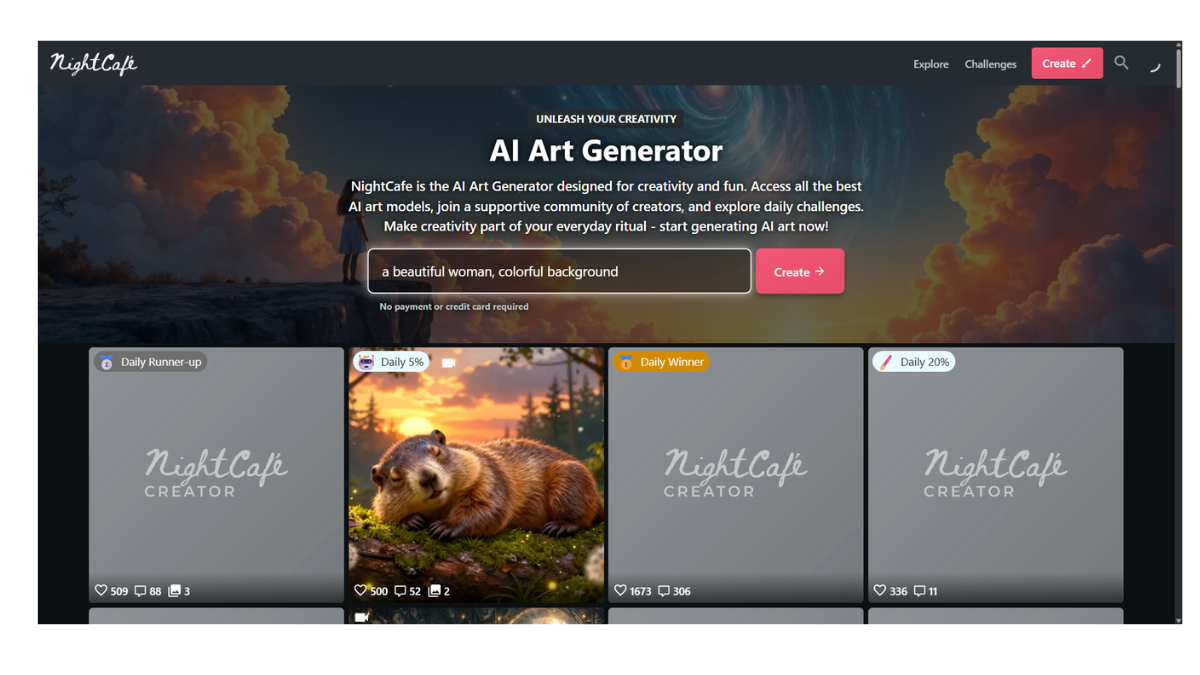
NightCafe
NightCafe Creator is an AI-powered art generation platform that has become popular for its community-first approach and ability to access multiple top-tier AI models in one place. Unlike simple “one-click” generators, it offers granular control for power users while remaining accessible to beginners.
Here is a detailed breakdown of its features, algorithms, pricing, and how it works.
1. How It Works & Core Algorithms
NightCafe acts as a unified interface for several different AI “engines.” Instead of being locked into just one technology (like Midjourney), you can choose which algorithm generates your image.
-
Stable Diffusion (SDXL, SD 1.5, etc.): The industry standard for customizable, high-quality images. Great for photorealism and specific artistic styles.
-
DALL-E 3: OpenAI’s model, known for following complex instructions and understanding conversational prompts very well.
-
Flux (Schnell/Dev/Pro): A newer, high-performance model that rivals Midjourney in image quality and text rendering.
-
Neural Style Transfer: One of NightCafe’s original features. You upload a photo (e.g., your dog) and a “style” image (e.g., The Starry Night), and the AI repaints your photo in that style.
-
Video Generation: Recently added models like Veo and Kling allow for text-to-video creation directly on the platform.
2. Key Features
-
Daily Challenges: This is the heart of NightCafe. Every day there is a new theme (e.g., “Cyberpunk City,” “Oil Painting”). Users submit entries, vote on others, and winners earn massive credit prizes. Even voting earns you free credits.
-
“Evolve” Feature: If you generate an image you almost like, you can “evolve” it. This keeps the main composition but lets you tweak the prompt or settings to refine the result.
-
Advanced Tools:
-
Inpainting: Erase a specific part of an image (like a weird hand) and ask the AI to regenerate just that spot.
-
ControlNet: Allows you to upload a sketch or a pose reference so the AI follows the structure of your input image exactly.
-
-
Social Media for AI: It functions like Instagram for AI art. You have a profile, followers, and a feed. You can like and comment on other users’ work.
3. The Credit System & Pricing
NightCafe operates on a “Credit” system. Generating images costs credits, though basic generations are often cheap or free.
| Tier | Cost | Details |
| Free Tier | $0 | You get 5 free credits every day you log in. This is enough for ~5 standard SDXL images a day. You can also earn credits by voting in challenges. |
| AI Beginner | ~$4.79/mo | 100 credits/month. Removes ads and gives you “Pro” status. |
| AI Hobbyist | ~$9.99/mo | 200 credits/month. |
| AI Enthusiast | ~$19.99/mo | 500 credits/month. |
| AI Artist | ~$49.99/mo | 1400 credits/month. |
-
Note: Creating a basic Stable Diffusion image usually costs 1 credit. High-resolution upscales or DALL-E 3 images cost more.
4. Pros and Cons
Pros
-
Community: The most social AI platform; very supportive and interactive.
-
Transparency: Unlike many other tools, NightCafe saves the “prompt” and “seed” of public images. You can click on any image you like and see exactly how it was made (and even copy the settings).
-
Cross-Platform: Works seamlessly on web browsers (mobile and desktop) without needing Discord.
-
Ownership: You own the copyright to the images you create (subject to the specific AI model’s license, but generally NightCafe transfers rights to you).
Cons
-
Credit Anxiety: Complex creates (high res, multiple steps) burn credits fast. It is not “unlimited” like a locally installed Stable Diffusion.
-
Learning Curve: Because it has so many settings (Prompt Weight, Seed, Steps, Samplers), it can be overwhelming compared to a simple tool like Bing Image Creator.
-
Speed: Free generations can sometimes be slower during peak hours compared to paid “Pro” generations.
5. Who is this for?
-
The Learner: If you want to learn how prompting works by studying others’ settings.
-
The Social Creative: If you want to share your art and compete in fun challenges rather than just generating in a void.
-
The Power User (Web): If you want Stable Diffusion-level control (ControlNet, Inpainting) but don’t have a powerful PC to run it locally.
- Pricing Model: FREE